Homicide Desk Tools Hub
Checklists you can keep open on a second monitor while the Ravenport desktop is live.
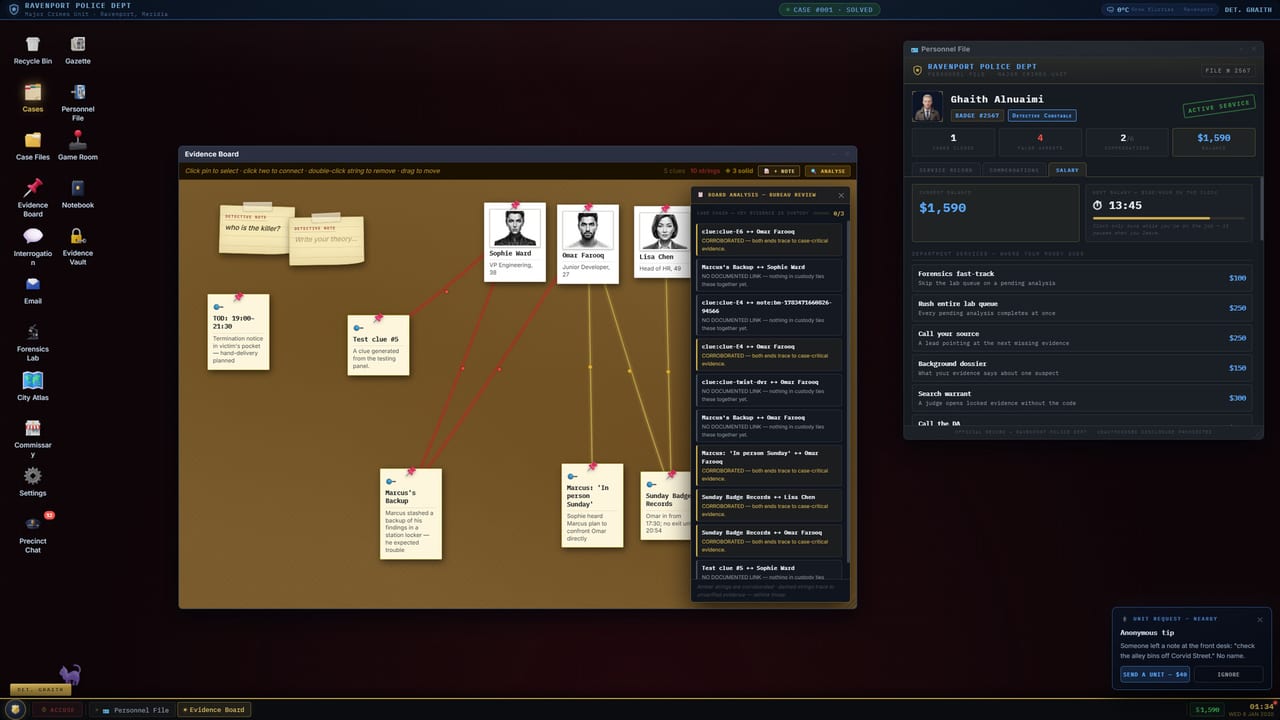
Homicide Desk is a desk you operate, not a trail you follow. These tool pages are the paper you keep beside the CRT: question lists, hardware specs, and launch-fix notes. They are not fake calculators and they will not spit out a killer’s name. Shu’la Lab LLC released the game on Steam on September 1, 2026, Windows-only, single-player, with a local interrogation model that accounts for most of the 13 GB install. Use this hub when you need a working list, then jump back into the case.
Checklists on this hub
The Interrogation Planner is a question-type and evidence-present order you can run in the room. It covers stress, lawyering up, Offer a Break, and Request Dossier — the two salary sinks that actually change an interview. It does not write your questions for you. Free-text still means you type.
Homicide Desk System Requirements is the spec sheet plus the launch-week problems people actually hit: black screen on boot (hotfixes 1.3.4 and 1.3.7) and quit leaving ollama.exe or llama-server.exe running (fixed in 1.3.9). Minimum and recommended tables live there, along with why broadband is listed even though replies are local. When a number changes, patch notes wins over this hub.
The local interrogation model page is the operator sheet for ollama.exe and llama-server.exe: privacy, first-reply hitch, 13 GB disk, and how 1.3.9 ties the server to the window. That is the whole tools tree at the moment. If you want process instead of a list, leave this hub. Case order of operations is How to Solve a Homicide Desk Case. Pins and districts are the evidence board. Warrants and Internal Affairs are Charging and Internal Affairs. The Walkthrough Hub is the spoiler fence for all three.
What these pages will not do
They will not score a deduction. They will not recommend a charge on Case #001, The Overtime. They will not pretend a slider can tell you whether Dana Reeves, a Vanta colleague, or anyone else belongs on a warrant. Multiple guilty-party variants exist; a tool that named a killer would be wrong on the next replay. Training is the only close we treat as public: Case #000, The Pawnshop Key, Tommy Vale arrested, Longines returned to Edwin Hollis, Certification set to field-certified.
They also will not replace the Guides Hub. Keyboard habits belong on controls. First-hour OS literacy belongs on Getting Started. Technique belongs on interrogation. Lab hardware — UV, chromatograph, fingerprints, CCTV — belongs on forensics. Salary, dispatch, Gazette, Store, and Game Room belong on the precinct page. Tools borrow from those guides; they do not duplicate the essays.
Keep a second window if your machine can spare it. The interrogation model wants RAM. Recommended is 8 GB; minimum is 4 GB. A planner in the browser is cheaper than alt-tabbing through five essays while a stress meter is climbing. If the game will not start, open system requirements, then the Updates Hub. Buyer’s read and store URLs: review and official links.
Homicide Desk is single-player. There is no shared tool window with a partner. The checklists assume one detective, one salary, one Internal Affairs file. Print them, copy them into your Notebook, or ignore the ones you already know. A tool stays practical: new paid interview actions belong on the planner; a new install size belongs on the spec sheet. Until then, these three pages are the kit.
Frequently Asked Questions
Quick answers for detectives still on the clock.
Are these tools in-game calculators?
No. They are checklists and a spec sheet. Nothing here computes a charge or a guilt score.
Which tool should I keep open during an interview?
The Interrogation Planner. Use system requirements only when the desktop will not boot or the AI process will not quit.
Do the tools spoil Case #001?
No. They may mention the Eastdock setup. They will not name who killed Marcus Reeves.
Where do launch hotfixes live?
Numbers and workarounds are on system requirements. The bundled AI process is on local interrogation model. The canonical list is patch notes.
Should I use tools before guides?
Use Getting Started first. Come back here when you already know the apps and need a list or a spec check.